

- - -
UPDATE [AM 17 Sept. 2025]: Issue has been solved!
(I might at some point post the entire process with screenshots and stuff… But anyway,)
In short;
After @Auth suggested to just copy the contents of the inaccessible user’s homedir to a new user, I logged in with tempuser and fast recalled that said homedir was similarly inaccessible as such, as I had selected the option to encrypt home directory during installation, and thus the files within were to other users unreachable without first decrypting them.
I followed @just_another_person’s [advice/instructions] until they stopped replying, then managed to successfully mount the home directory after running through the other steps of the guide they referenced ([see:34365607/19080549,34365607/19187230]). I then realised that maybe I could just reverse all the steps I had taken since the user was last accessible, ([see:34365607/19187230]) and regain full access to the user, so I formulated a list of commands to reverse the steps, ([see:34365607/19233599]) checked for flaws, couldn’t really find any, and just tried running the commands.
Anyway, it worked, and I can now log in to the user again and access all the files!
Much thanks to everyone who commented, and thanks again to @Auth, @just_another_person, @Wolf_Munroe, @Fizz and again (again) to @just_another_person for continuing to reply for so long!
- - -
Hi fediverse,
I’m hoping someone can give me some advice on an issue that means I can’t access the main user account on my Linux Mint (Cinnamon) operating system.
Context:
I’m using a dual boot setup of windows and mint on my laptop. I use mint (or used to, when I could access my user) for pretty much anything that doesn’t require things* only my windows instance has. (*things such as support for video games that support windows but not linux, for example)
When creating my main user account, I made a mistake in the username. It was irritating enough for me to want to change it, and as doing so seemed like it should have been fine, I settled upon three guides and ended up (mostly?) just following this one:
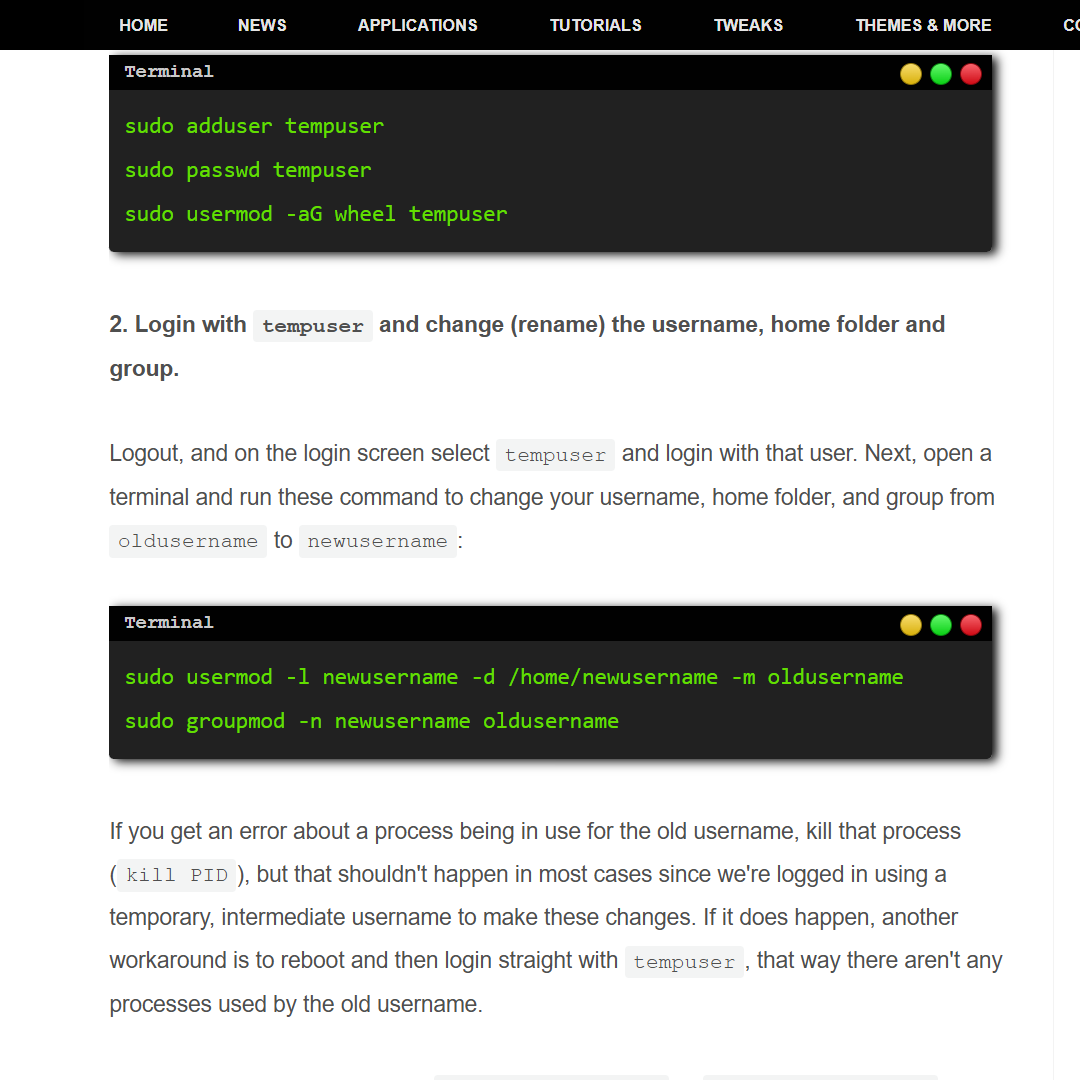
https://www.linuxuprising.com/2019/04/how-to-change-username-on-ubuntu-debian.html

I cant remember all of what happened anymore, but I have the following screenshots, along with the stuff I do remember.
(note: red blocks represent the new username, blue blocks represent the old username)


At the used-by-process error, I first tried following the guide precisely, then hoped that “PID” was Process ID, and that the guide expected me to put the ID that usermod stated after “PID”, and tried doing that.
Idk if that fvcked something up…
Then I guess I fixed that somehow, idk if I did so by restarting and logging in only as tempuser, or if I had already done that and fixed it some other way.
Anyway I meant to run each line of the command separately to avoid stuff going wrong, but accidentally did both at once. I hoped it’d be fine anyway.
Then stuff happened I guess.
Anyway,
I cant remember much more but I know that I tried to log back in as my main user account and I found out that:
- The username had been successfully changed.
- I could not log into my main user account.
Inputting the correct username and password was successful, and acted like it was logging me in as usual. Then after the usual black screen, it just throws me back to the login window.
This still happens.
I ran some web searches, followed some advice. All that I could find of relevance was mostly just people saying to check how much disk space you have left - and to not keep timeshift snapshots on the same drive as your OS.
(this is one such post, which I’m pretty sure is the only one I found that I definitely recognise from the previous searching: https://www.reddit.com/r/linuxmint/comments/15revgg/cant_stay_logged_in_keeps_going_back_to_login/)
I did ctrl-alt-f1 and ran df -h, and deleted most of the timeshift snapshots I had (I think I had maybe 6 and deleted 4 or 5).
Here’s the output of df -h that I think is from after I deleted the timeshifts:

Idk what to do, hope someone can advise.
(TL;DR: tried to change username on mint, now whenever I try to log in to the user it throws me back to the login window after the usual black screen. Hope this suffices for a summary…)
[(Edit [AM 06 Sept. 2025]: fixed typos, phrasing…)]
[(Edit [AM 17 Sept. 2025]: UPDATE [SOLVED])]
Could you at some point reply to this comment pls?: (34365607/18915085)
You’re pretty lost in this chain. We offer paid remote help if you want that. Feel free to DM me.
I can’t really pay, and I feel like using dms for this kind of stuff kinda just denies others access to the information provided/discussed. (If what you say could be useful to me, it could also be useful to someone else)
Could you just try to help me progress further toward sorting this out?
Again; The directory provided as the last argument in the command seems definitely to exist. Should I select an option when the two options are provided, and if so, is the first option preferable?
If you don’t quite know how I should proceed, or otherwise can’t provide further help, that’s also fine, but please let me know either way. (Also idk exactly what “We offer paid remote help if you want that” means, but if you don’t have the time/wherewithal/etc to provide further help without pay or whatever, the same applies)
If you’re getting an error, please provide it. If it’s just saying you’re missing the final argument as the mount point, you’re doing something wrong. The mount command at its base works like this:
mount [sometargethere] [someemptydirectory]I just need to know what to do at this stage (the stage described in [34365607/18807477]):
There’s no error, I just don’t know what to do when presented with these two options. Is this expected behavior? As I said in [34365607/18807477], this dialogue (the choice between passphrase and tspi) doesn’t appear in the “HOWTO: Recover files from encrypted ecryptfs home directory” guide, so I just wanted to check that said dialogue was what was supposed to happen, and if so which option I should select.
There are more details and stuff on this in my previous comments, I’ll quote them below in chronological order so they’re all in one place.
Relevant comments in this chain/thread (chronological order):
Hir 1 and enter the passphrase for the volume. Try whatever the previous login password was, or if you know the right passphrase, enter that. The value is what YOU set when you installed the first time.
The line says “Select key type to use for newly created files”, but I’ll disregard the seemingly present confliction and presume that doesn’t change anything…?
(When I get around to it,) I’ll run the command again and select option 1, then enter the passphrase for [magentauser] (Edit: *[blueuser]).
Thanks again!
I got to the “select cipher” step.
I assume I should select whichever cipher was used originally.
How do I find out which one was used?
I doubt I would have deviated from the default during setup, and i assume AES would have been said default, in which case I should pick that?
What should I do?
Just try whatever, or look up the docs for your distro. If you need this info and you don’t have it, you’re at the end of the road.
I intend to run the command again and try selecting aes in hope that that’s what it would’ve used, however I’m still really unclear on the guide… look at the code section of step 4–
At the line where one would input a number from 1 to 6 to make a selection, “aes” is placed where I’d assume the inputted number would be, and then a sentence starts abruptly at the end of that word
"
"
And it then follows as a series of instructions
Is this a part of the guide?? Is this an output from the terminal??
Since I can’t access the internet on my mint instance (for other technical reasons) and I haven’t set up hibernation, I have to quit the process to return to my windows instance in order to ask another question or query a search engine.
(When the terminal starts doing more active processes, killing said processes to return to my windows instance seems like it easily has potential to break something important, so…)
I just want to make sure I’m clear on the actual steps that have to be completed before running the command again.
What additional steps follow after selecting a cipher?
Which parts of the code in step 4 are part of the terminal output, and which aren’t?
(Sorry I’m asking so many questions-- I just don’t wanna fuck it up further; I wanna be sure to do it right)
Since it has taken two comments to get through to you the past few times, here’s a second comment.
Please just reply to the first one at some point… It is my reply to this. - i.e. my reply to the comment I am replying to with this comment. (34365607/19002981 - https://lemmy.world/post/34365607/19002981 < the first one)