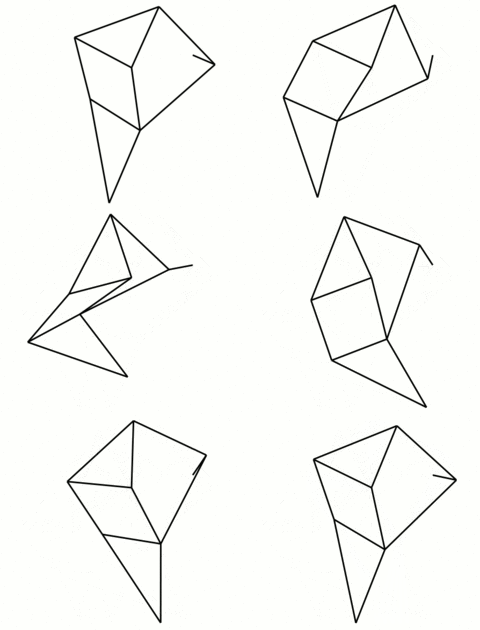
Obviously, you could animate something like this by hand but is there any software on Linux meant to simulate this kind of mechanism?
Seems like a good fit for processing maybe?
Man, it’s been years since I looked at Processing. I forgot it exists. This could be a good option.
wouldn’t you still need to write your own angle solver? this feels like the same thing as using pygame or something
Wouldn’t you be able to do this in blender?
Yes, but I don’t think it really works well with multiple constraints like that.
You could probably do keyframe animation on geometry, but I think bones only do trees.
No idea. I’ve been meaning to try blender again at some point anyway. I’ll have to look into it.
Would second Blender. Plus if you’re planning on maybe 3D printing a model with certain gyroscopic properties it’s easy to export the model from there 😉
Would maybe a FreeCAD assembly [3] be what you’re looking for? Here is an example tutorial on making an assembly [1]. You can also animate an assembly [2][3.1].
References
- Type: Video. Title: “FreeCAD 1.0 Assembly in 30 minutes Beginners Crash Course / Tutorial 2025”. Author: “MangoJelly Solutions for FreeCAD”. Publisher: [“YouTube”. “MangoJelly Solutions for FreeCAD”]. Published: 2025-01-29T13:37:36Z. Accessed: 2025-09-18T07:54Z. URI: https://www.youtube.com/watch?v=p2yDGlv5wI0.
- Type: Post (Comment). Author: “Workshop_Notes”. Publisher: [Type: Post. Title: “FreeCAD 1.0 Assembly workbench joint variables”. Author: “zultron”. Publisher: “FreeCAD”. Published: 2024-11-30T19:32:15+00:00. URI: https://forum.freecad.org/viewtopic.php?t=92562.]. Published: 2024-12-01T09:32:38+00:00. Accessed: 2025-09-18T08:03Z. URI: https://forum.freecad.org/viewtopic.php?p=794940#p794940.
- Type: Text. Location: ¶2.
[…]They all use Python to animate the assembly.[…]
- Type: Text. Location: ¶2.
- Type: Article. Title: “Assembly Workbench”. Publisher: “FreeCAD”. Accessed: 2025-09-18T08:05Z. Published: 2025-08-17T18:19. URI: https://wiki.freecad.org/Assembly_Workbench.
- Type: Article. Location: §“Example crank and slider”>§“Drive the crank”. URI: https://wiki.freecad.org/Assembly_Workbench#Drive_the_crank.
Damn, what kind of referencing software are you using for writing this kind of comment? Looks pretty cool
[…] what kind of referencing software are you using for writing this kind of comment? […]
None 😄 It’s all done manually by me, atm. I’m sort of trying to iteratively develop my own referencing style/standard. More to your comment, though, I am considering writing a script to help me generate the references for things, as it can be a bit tedious for me at the moment to try and scrape the data when citing sources.
[…] Looks pretty cool
Thank you 😊
FreeCAD is such a masochist’s tool ;)
I tried learning it a few times, but it’s such a royal pain compared to other CAD software.
[…][FreeCAD is] such a royal pain compared to other CAD software.
What, specifically, did you find bothersome about FreeCAD?
When was the last time that you’ve tried using it?
A year or so ago
I was using Fusion360 for quite some time and when I moved to linux, I had to find an alternative.
FreeCAD takes a while to get used to, particularly moving from other CAD software, but with a few tutorials FreeCAD 1.0 onwards is really quite powerful.
Before version 1.0, it was absolutely undecipherable. You can try giving it a shot nowadays, but you’ll have to get used to its workflow, regardless of what CAD software you currently use.
You can do it just in the sketcher and get 90% of the way there with just sketcher constraints. You can also create a body with a subshape binder for each sketch line and use assembly and create an animation. You don’t even need 3d solids. I created a gif, we’ll see if it attaches properly to this reply…
Video:
I really like motiongen.io for quick mechanical sketching
My first thought would be algodoo (formerly phun) via wine if you want an intuitive graphically driven 2d physics simulator/sandbox
I don’t know about installed software, but Open Constructor is a recreation of the Soda Constructor, which is what that animation makes me think of: https://peterfidelman.github.io/constructor/
And here’s another SodaPlay inspired tool as well: https://panoramx.ift.uni.wroc.pl/~maq/constructor/
Hope it helps!
Making a Strandbeest?
I made one leg out of paperclips for fun. Wanted to make it in Space Engineers but the phantom forces threw it in every direction at once. Kind of just want to play with some kinematics.
Check out modelica open source physical modeling language and the rigid body model library https://openmodelica.org/
I’m used to solid body modelling, so SolidWorks and stuff, but I think Fusion might be able to do animations?
This is basically rigid body dynamics. I am sure there are many libraries that can handle this. For example, this might help: https://github.com/projectchrono/chrono
I’m sure that you could use MetaPost to procedurally generate a frame, then merge them into an animation.
A newer, similar language is Asymptote, and it looks like it has animation support.
I haven’t used it myself, but maybe look into 2D animation software that offers bones and rigging. You may run into the same limitations you mentioned for Blender, but who knows, maybe not?
Here’s an open source one that appears to have this: https://www.synfig.org/
I think these are called ‘compliant mechanisms’. The action lab had a video on the chicken head mechanism: https://youtu.be/ZKz0_kSFSP0 A quick search/AI for the term should reveal some options.
There’s linkage in vindoz. I wonder if it can be run virtualized in Linux.